Mobile test generation
Overview
Fore supports native mobile application testing by analyzing APK files. Instead of providing a website URL, you provide an application binary. The AI agent then launches the app on a cloud-hosted mobile device and executes your instructions within the native app environment.
Managing mobile assets (APKs)
Before generating a mobile test, the application file must be available in your project. There are two ways to handle this:
- Pre-uploading via Assets: Navigate to Test Data → Assets and upload your
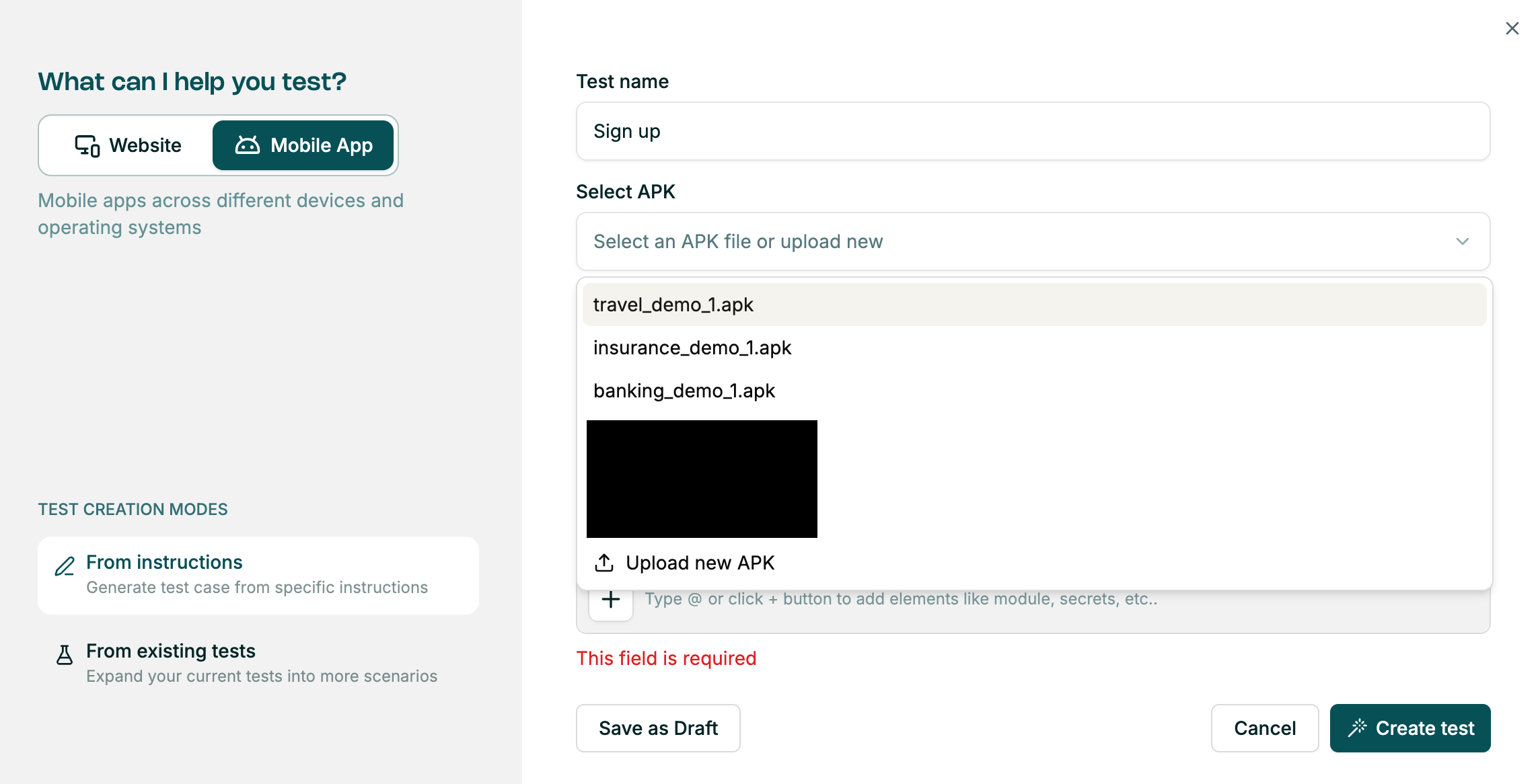
.apkfile there. - Direct upload during creation: Upload a new APK directly from the Select APK dropdown in the test creation window.
Creating a mobile test
- In the Create a test window, switch the toggle from Website to Mobile App.
- Click the Select APK dropdown and choose the relevant file.
- Write your test steps in plain English.
- Click Create Test.
Implementation & results
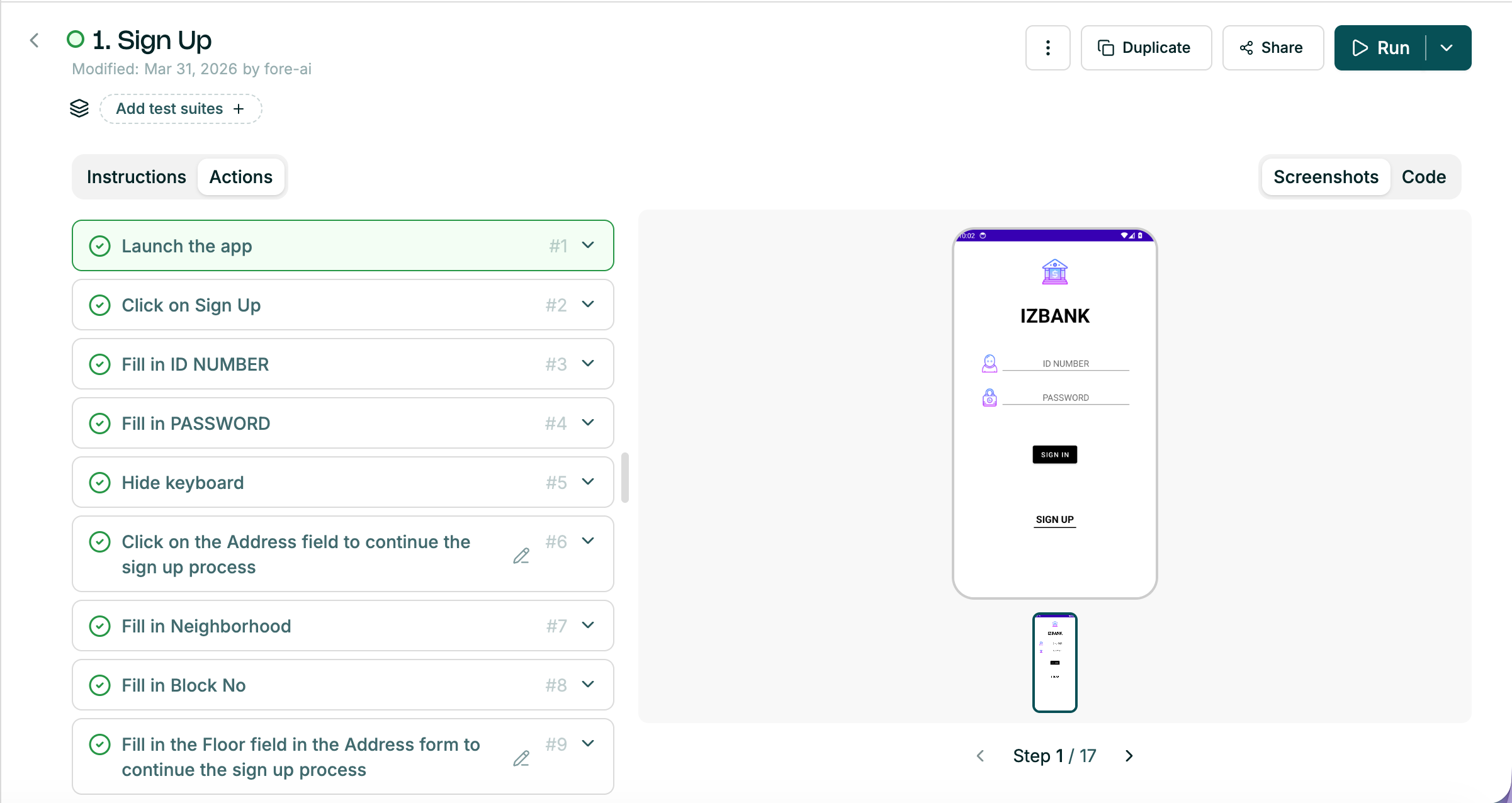
Once generated, mobile tests look and behave similarly to web tests — with a full step-by-step breakdown and corresponding screenshots captured from the mobile device.
The AI analyzes the mobile UI hierarchy to identify buttons, input fields, and labels, just as it would on a website. Each step is verified against the mobile screen's state to confirm the action was completed successfully.